
Key takeaways
- In healthcare, EMR means electronic medical record: a digital version of a paper chart.
- EMR can also refer to an emergency medical responder or a cloud big-data platform.
- For med spas, the software decision also involves bookings, retention, revenue, security, migration, and rollout work.
Which EMR did you mean?
The context around EMR changes its meaning. In a clinic software discussion, it points to an electronic medical record. In emergency care, EMR can mean an Emergency Medical Responder, a person who provides immediate lifesaving care to critical patients entering the emergency medical services system. In a cloud-computing discussion, Amazon EMR is a big-data platform used for data processing, interactive analysis, and machine learning with open-source frameworks.
If you're comparing software for an aesthetic clinic, the healthcare meaning is the useful starting point. It defines the record, but it doesn't settle the whole buying decision.
What does EMR stand for in healthcare?
In healthcare, EMR stands for electronic medical record. Electronic medical records are digital versions of paper charts. That plain definition is the safest way to understand the EMR medical meaning without assigning the record functions that the term itself doesn't prove.
Electronic health record, or EHR, also has a defined meaning. Electronic health records are real-time, patient-centered records that make health information immediately and securely available to authorized users. That statement stands on its own. The definitions here don't establish that one category is broader, more portable, or universally better than the other.
For a clinic operator, this distinction prevents a basic shopping error. A product label can tell you that patient records are part of the system. It doesn't tell you whether the software fits the rest of your clinic's work, what the full cost will be, or what implementation will demand from your team.
A clinical record is only one med-spa software job
A med spa combines a clinical practice, with its documentation and compliance obligations, and a service business that depends on bookings, retention, and margins. Its software needs therefore extend beyond the EMR to appointment volume, treatment revenue, and client retention.
Memberships add another operating layer. Aesthetic-clinic software should support membership structures by treatment type, frequency, and practitioner. It should also show membership revenue, renewals, spending, and retention. Those details affect whether a system can represent the way your clinic sells and delivers ongoing care, not simply whether it stores a chart.
Workflow automation is another separate job. Clinic workflows can connect triggers such as appointment events, signed SOAP notes, and inbound faxes to actions such as messages, tasks, PDFs, and webhooks. If those handoffs matter to your team, put them beside the record requirements during selection. Don't assume the EMR label includes them.
Write down the membership structures your clinic needs to represent: treatment type, frequency, and practitioner. Then identify the membership figures the software needs to show, including revenue, renewals, spending, and retention. For workflow automation, list the appointment events, signed SOAP notes, and inbound faxes that should trigger a message, task, PDF, or webhook. Those are concrete requirements a generic EMR label cannot answer for you.
The same discipline applies to the operating figures. Appointment volume, treatment revenue, and client retention are software needs for a med spa. Keeping them visible prevents the chart requirement from swallowing the business requirements during a demo or shortlist review.
This is why the practical software question is wider than "Does it have patient records?" Your shortlist also has to account for the operating work around those records. Our guide to aesthetician software can help you keep that wider clinic context visible as you compare systems.
Use six checks to evaluate an EMR purchase
EHR performance tests can be recorded during vendor selection to learn how each system works. Use the same clinic inputs for every system you test.
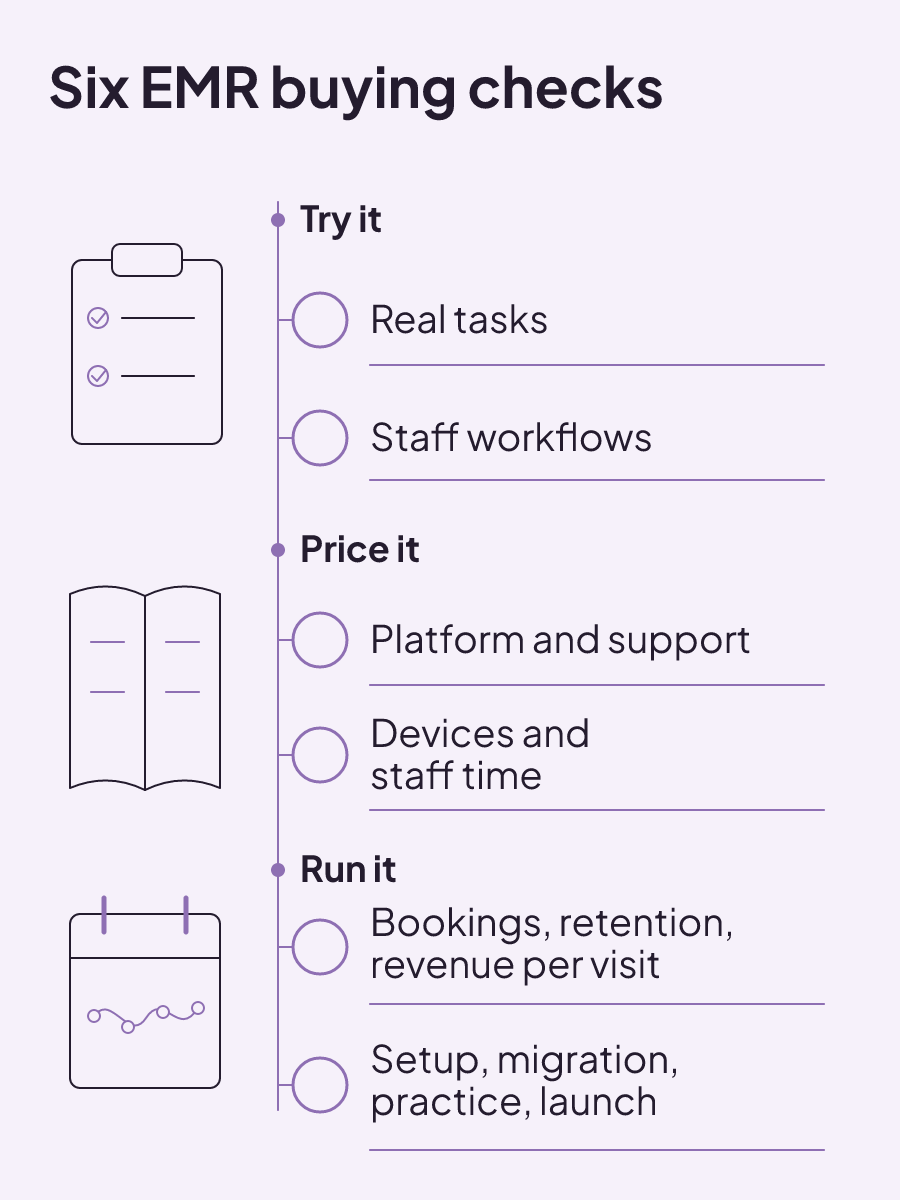
| Decision area | What to evaluate | Clinic input | Comparison note |
|---|---|---|---|
| System testing | Performance during real-world vendor tests | Common clinic tasks, expected results, and the result from each test | Record the test and outcome for each system during selection |
| Usability | System design and the planned implementation | Staff roles, workflows, training needs, and observations from testing | Usability depends on system design and how the clinic implements it |
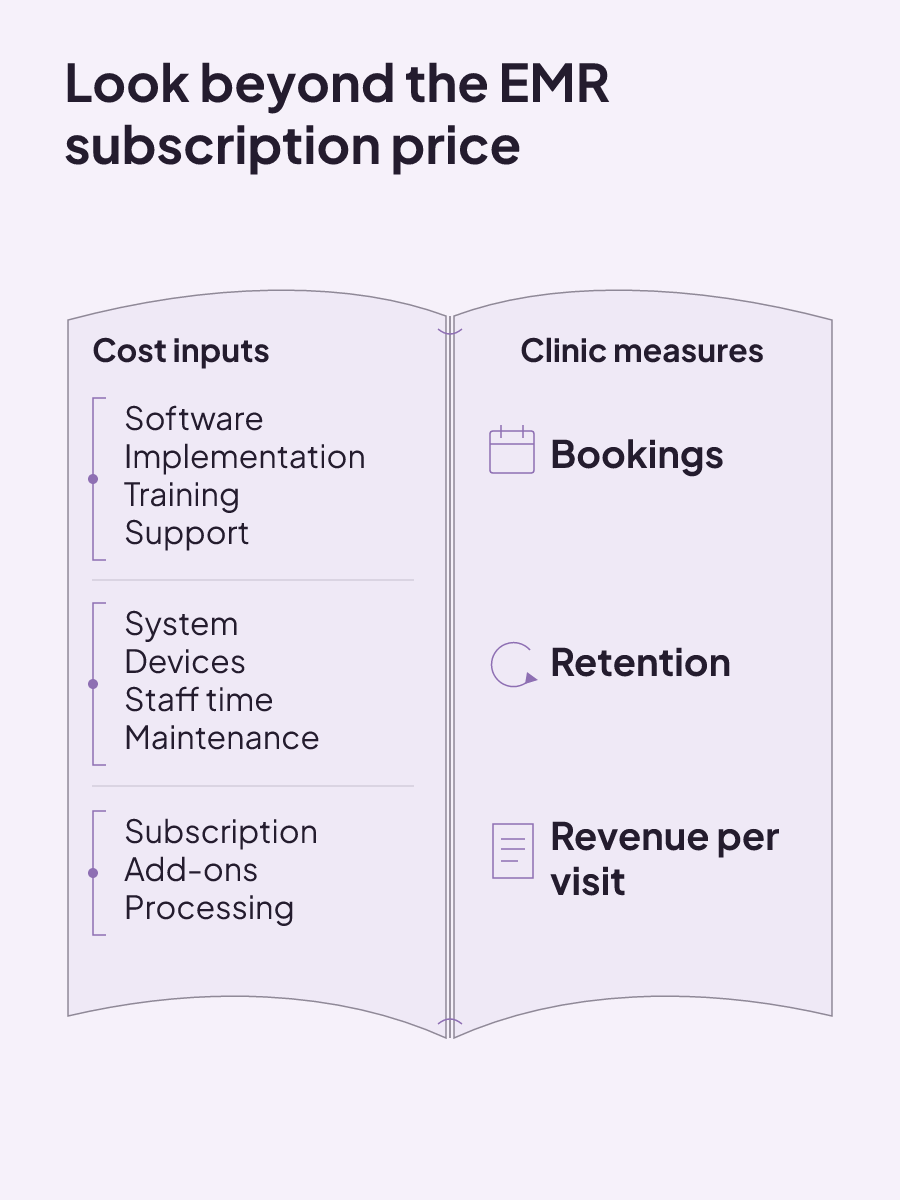
| Core ownership cost | Software, implementation, training, and support | Local-hosting or cloud requirements and the cost entered for each category | Itemize the same categories for locally hosted and cloud-based platforms |
| Med-spa operating value | Subscription, add-ons, and processing rates against bookings, retention, and revenue per visit | Your subscription, add-on, processing, booking, retention, and visit-revenue figures | Compare the charges with the clinic measures named in this row |
| Implementation expense | System purchase, computers or tablets, extra staff training hours, technical support, and ongoing maintenance | Required devices, added training time, support, and maintenance needs | Keep the purchase and every implementation input in the total |
| Rollout work | Setup and testing, record migration, staff training, practice runs, and full launch | The staff, systems, records, training, and practice work required at each stage | Compare the complete schedule and the clinic work assigned to it |
For US clinics, security extends beyond the EMR
For US healthcare providers that are covered entities, security responsibility doesn't stop at choosing software. The Privacy Rule covers protected health information in any medium, while the Security Rule covers electronic protected health information.
Covered healthcare providers are required to perform a risk analysis. Installing a certified EHR doesn't remove the requirement for a full security risk analysis. The responsibility for completing that analysis remains with the provider, not the EHR vendor.
The review also reaches beyond the record system. Security requirements address all electronic protected health information an organization maintains, not only information in its EHR. A security risk analysis must review electronic devices that store, capture, or change that information. This includes EHR hardware, software, and devices that can access the EHR.
That scope changes the buying conversation. The product is one part of the environment being reviewed. Computers, tablets, connected devices, and other systems that hold or reach electronic protected health information remain within the risk-analysis work when the stated rule applies.
For selection work, turn that scope into an inventory. Identify the hardware and software used by the EHR, then include every device that can access it. Also account for other electronic protected health information the organization maintains outside the EHR. The required risk analysis covers that full electronic environment. A certification attached to one system doesn't complete the review for the provider.
Data shared with outside organizations creates another responsibility. A covered entity must have a business associate agreement before sharing protected health information with another entity that needs the data to perform work on its behalf. The covered entity should also evaluate whether that business associate has safeguards for data access, transmission, storage, use, handling, and destruction. The American Bar Association's health-law guidance describes both duties.
That safeguard review has a defined span. It follows the information from access and transmission through storage, use, handling, and destruction. A vendor answer about one part of that path doesn't address the other listed safeguards. The agreement must also be in place before the covered entity shares protected information with an outside entity that needs it for work on the covered entity's behalf.
These are US requirements for covered entities. They shouldn't be copied unchanged into a Canadian clinic's compliance plan. For a US clinic, though, the responsibility chain is clear: assess the full electronic information environment, retain ownership of the risk analysis, and examine the safeguards around protected information shared for work performed on the clinic's behalf.
Migration is a records and continuity project
Moving records begins with data mapping. Data mapping matches fields in the old system with fields in the new one. A patient name field, treatment-note field, or other stored value needs a destination in the new system. The mapping work defines those matches before the migrated information is tested in its new setting.
Field mapping answers where the data will go. The audit and cross-checks answer whether the records being moved are present and match after the transfer. Workflow validation asks whether that migrated information works within the clinic's new way of using the system. All three belong in the migration scope because each examines a different part of the move.
Migration should also include a data audit, staff cross-checking, and validation against the new workflows. These checks address different points in the move: what information exists, whether the moved records match, and whether the data works with the way staff will use the new system.
Create secure patient-data backups before migration. Those backups should allow information to be restored if data is lost or corrupted. A backup is part of the migration plan, not a substitute for auditing, cross-checking, or workflow validation.
Continuity planning belongs in the same project. Migration risk planning should account for downtime or unexpected delays. It should also include communication with staff and patients about potential disruption. That gives the clinic a defined response if the transition doesn't follow the expected schedule.
Keep the restoration purpose of the backup explicit. The secure copy should allow information to be restored when data is lost or corrupted. The downtime plan covers operating disruption, while the backup covers recovery of information. Both need owners before the migration begins, along with the audit, cross-checking, and workflow validation work.
Put named owners beside the data audit, field mapping, staff checks, workflow validation, backups, and disruption planning. This turns "migration included" from a vague vendor line into a set of work your clinic can assign and inspect. It also exposes how much staff effort the move will require before launch.
How should an EMR rollout progress?
An EMR rollout can move through preparation, a limited release, and full implementation. Preparation happens before patient care is involved. Test the system components, create test patient records, practise common workflows, check system connections, and verify security measures.
Preparation is the place to observe each component without involving live patient care. Test patient records let the team practise the common workflows. Connection checks cover the links the system needs, while the security checks verify the measures included in launch preparation. Problems found here can be addressed before the limited release begins.
A limited rollout then uses a small group of staff and patients. Its purpose is to identify and fix problems before full implementation. Keep the group small enough to observe what happens, while covering the staff and patient use included in that stage.
Full implementation expands system use to all departments and staff. Extra support helps users adjust, while the clinic tracks common problems. This stage is more than switching access on for everyone. The support and problem-tracking work are part of the implementation itself.
Define the handoff between the limited and full stages in the rollout schedule. The limited stage is where a small staff and patient group identifies problems for correction. The full stage expands use across departments and staff, adds support for users adjusting to the system, and tracks the common problems that appear at that scale.
These stages give setup, training, testing, and support a place in the schedule. They also keep practice runs separate from live patient use until preparation is complete. The rollout plan should state which staff and patients are included in the limited stage, when use expands, and who will handle the issues tracked during full implementation.
Usability keeps changing after launch
Launch doesn't freeze the way an EHR works for your clinic. Improving usability requires continuous optimization, a process for gathering user feedback, and changes based on that feedback and best practices. The system's design matters, and so does the way it was implemented.
Post-implementation support can include vendor check-ins and a process for resolving user issues. Team feedback can then be used to refine workflows. This creates an operating loop: collect feedback, resolve problems, change the workflow where needed, and keep watching how the system performs.
Give user feedback somewhere to go. The process should gather it, connect reported issues with resolution work, and use what the team reports to refine workflows. Vendor check-ins can sit inside that support process. They don't replace the clinic's need to collect feedback or make changes based on what users experience.
A scorecard can give that loop concrete measures. It can assess patient satisfaction, physician needs related to adoption, workflows and training, and data error rates. Those measures keep attention on people, work, and record quality after the launch team has moved on.
Keep each scorecard area distinct. Patient satisfaction reflects the patient measure. Physician needs can reveal adoption concerns. Workflow and training measures show where the implementation needs attention, while data error rates track problems in the records. Together, those areas give post-launch support a defined set of issues to watch.
Assign a regular owner for feedback and issue resolution, and keep the scorecard tied to the actual workflows your team uses. A system that looked usable in a demo may still need implementation changes and ongoing optimization once staff use it every day.
If the EHR language itself is still getting in the way, read our electronic health record definition. Then compare your worksheet with the EHR systems considered for Canadian med spas and carry your clinic's requirements into the shortlist.
EHR vs paper records: compare how each system fails and recovers
EHR and paper records fail differently: compare physical loss, copied errors, outages, hybrid controls, and the work an EHR transition requires.
Read insight
ROI tracking: calculate the return and label what the number proves
ROI tracking is credible when every cost is counted and each result is labeled as observed, attributed, or experimentally incremental.
Read insight
Med spa profit margins: how to calculate what your clinic actually keeps
Med spa profit margins depend on treatment contribution, provider capacity, fixed costs, acquisition, no-shows, and repeat booking.
Read insight