

Key takeaways
- EHR vs paper is a comparison of failure and recovery, not just features.
- Paper avoids specialized software, but physical destruction has no automated recovery.
- EHRs may centralize information and add alerts, while copied errors and outages require controls.
The practical question is what your clinic must do when a chart is lost, a note is wrong, or a system is unavailable. An electronic health record may make information easier to gather and read, but that value depends on implementation, daily use, and recovery planning. Paper is simpler to start, yet some physical losses cannot be reversed.
Our comparison uses the work behind each option as its method. Start with the likely point of failure. Then identify what must be recovered, corrected, or kept available. Include the people, training, support, and tests that the response requires. This approach puts normal-day use and bad-day recovery in the same decision.
EHR vs paper at a glance: where each can fail
The advantages and disadvantages of paper medical records sit close together. Paper has a low-technology startup, while a destroyed physical file has no automated route back. EHRs avoid that exact setup, but add their own content, interface, transition, and outage risks. Compare the operating states directly.
Use the same questions for both options. Can staff reach the record during normal work? What can make the information wrong, hard to find, or unavailable? Who has authority to respond? What must be corrected before normal work resumes? Put the answers beside the people and support your clinic can maintain. This keeps the comparison tied to real work without assuming that digital is always safer or that familiar paper is always simpler.
| System or operating state | Condition or failure | Consequence or required control |
|---|---|---|
| Paper startup | Basic supplies replace servers, cloud storage, and specialized software; familiar staff may need simpler training | Startup involves less new technology for staff who already use physical charts |
| Paper destruction | Fire, flood, or pests destroy the files | Records can be permanently lost because there is no automated backup or recovery |
| Copied EHR content | Content moves from an earlier entry or another patient record | Incorrect or old information can spread, and excessive copying can hide critical details |
| Poor-interface workarounds in reviewed studies | Task switching, long navigation, fragmented information, duplicate documentation, or external tools | Work is disrupted, documentation takes longer, and data-entry error risk rises |
| EHR outage activation | Planned maintenance, power or network loss, interface failure, a cyber incident, or a vendor outage makes the system unreliable or unavailable | Activate a downtime policy with defined triggers and ownership |
| Long-term or post-acute care transition | Part-paper, part-electronic records persist, or scanned documents are handled poorly | Plan policies that prevent hybrid records and evaluate scanned-document management during selection |
Why is an EHR better than paper records?
An EHR may be better when your decision depends on alerts, access to gathered information, and readable documentation. EHRs may improve risk management through clinical alerts and reminders. They may also improve how patient information is aggregated, analyzed, and communicated, including gathering relevant information such as lab results in one place.
Certified EHRs may produce complete, legible records that are readily available to reconstruct what happened during care. These are meaningful advantages, but they do not make every EHR automatically better than every paper workflow. The implementation still determines how the software fits the people using it.
What makes EHR implementation difficult?
Meaningful EHR implementation requires significant investment. It also brings technical complexity, workflow changes, and other challenges. Buying access to software is only one part of the commitment because the organization must integrate the technology into daily work.
Successful implementations described in a review of health IT lessons made three concrete commitments.
First, they engaged staff at all levels early. That brings the people who will use and support the EHR into the process before new work patterns are fixed.
Second, they invested in workflow analysis and careful redesign. The purpose was to customize and integrate the technology among users. This is deeper than moving a paper form onto a screen. The existing workflow has to be examined, and the redesigned workflow has to account for how users interact with the EHR.
Third, they allocated resources beyond the initial implementation. Those resources covered ongoing maintenance, technical support, system adjustments, staff training, and continued staff engagement. A launch date does not end those obligations.
For an operator, this changes the budget and staffing conversation. The commitment includes the people needed to analyze workflows, train staff, support the system, and adjust it over time. If those responsibilities have no resources behind them, the implementation plan is missing work that successful organizations treated as necessary.
Write these commitments into the implementation plan before launch. Name the staff groups that will be engaged early. Identify the workflows that need analysis and redesign. Then show where ongoing maintenance, technical support, adjustments, training, and engagement will get their time and resources. The plan should make the continuing work visible, not stop at the purchase and setup.
This also makes vendor conversations more concrete. You can separate the software from the work needed to fit it into the clinic. A strong answer should let you see what the vendor handles, what your team handles, and what still needs an owner. The factual comparison is not whether change is effortless. Meaningful use carries investment, technical complexity, and workflow change.
How do you keep an EHR usable after launch?
EHR usability depends on both software design and implementation. A well-designed product can still be shaped by how it is configured and introduced. Usability also needs continuous optimization after launch.
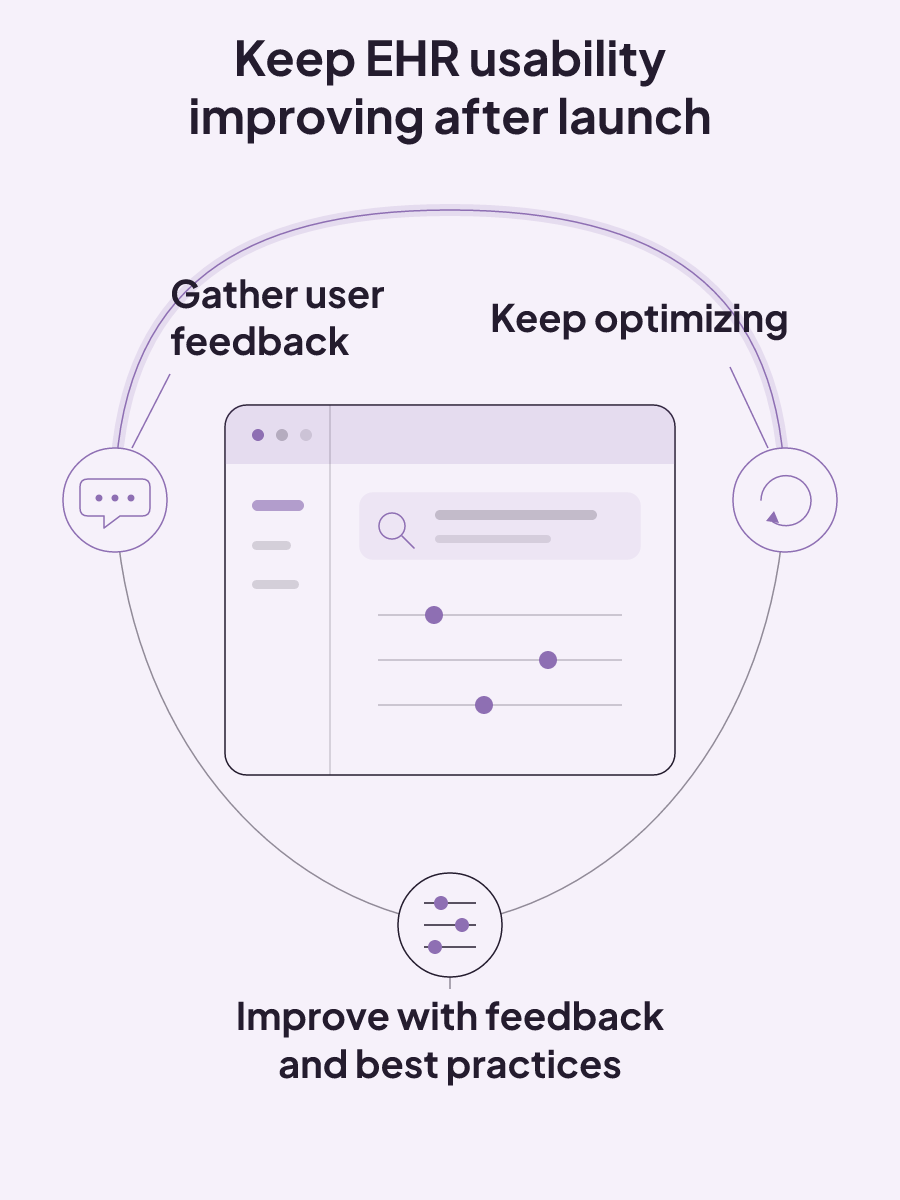
Software design and implementation need their own place in the usability review because both shape the result. When feedback arrives, record whether it concerns the design or the implementation. Then base the improvement on user feedback and best practices. This keeps the optimization loop tied to the two factors that determine usability. It also gives each concern a clear home instead of treating every problem as a general complaint about the EHR.
The feedback loop should include the people who experience the system from different positions. Guidance on maximizing EHR usability calls for input from clinicians, other healthcare providers, patients, and other EHR users. Improvements can then be based on that feedback and on best practices.
That loop gives an operator a practical way to manage the system:
- Gather feedback from clinicians, other providers, patients, and other users.
- Use that feedback and best practices to make improvements.
- Keep optimizing instead of treating the launch configuration as final.
The work should focus on friction that affects documentation. A review of EHR documentation burden says improvement requires a human-factors approach. That approach streamlines retrieval, improves interface usability, and removes unnecessary task complexity. In plain terms, users need to find the information they need, move through the interface, and complete tasks without avoidable steps.
This is where feedback becomes more useful than a broad question about whether staff like the EHR. Ask each user group about the same practical areas. Can they retrieve what they need? Which parts of the interface make their work harder? Where does the task contain complexity that is not needed? The answers can guide improvements while keeping the review tied to usability.
Clinicians and other providers may see the documentation work from different roles. Patients and other EHR users bring other points of contact with the system. Gathering all of those views is part of maximizing usability, not an optional courtesy after the technical work is done.
Optimization also needs a continuing place in operations. Feedback can support an improvement, but the system will still need review as people use it. Best practices provide another input. Together, user feedback and best practices support changes to the implementation instead of leaving the launch setup untouched.
If your clinic uses both an EHR and practice management software, include every affected user in the feedback process. The aim is still specific: improve the EHR from real user input, make information easier to retrieve, and remove unnecessary complexity from the tasks people perform.
Downtime planning is part of the record system
An EHR decision includes the work required when the system is inaccessible or unreliable. A downtime policy should define decision authority, escalation paths, and unit-level activation triggers. Without those elements, a technical disruption can also become an ownership problem.
The response starts with authority and triggers. The policy identifies who can activate the downtime process and which conditions justify activation. Communication planning then specifies who declares downtime, who sends notifications, which parts of the organization are affected, how escalation works, and how often updates go out.
Consider a network loss that makes the EHR unavailable. The defined authority activates the response under the policy's trigger. The downtime message states when the event began, its scope, the effect on ordering and documentation, the immediate actions, safety priorities, and the time of the next update. Assigned owners carry the work through reconciliation and restoration verification. The mechanism is operational from start to finish: declaration, communication, recovery, and a checked return.
A useful downtime message carries the information people need at that moment. It states the time and scope of the event, its effect on ordering and documentation, immediate actions, safety priorities, and the time of the next update. That structure keeps the message tied to both the disruption and the response.
Recovery continues after access returns. Reliable downtime procedures use clear roles, checklists, communication, data reconciliation, and restoration verification before, during, and after an outage. Restoration is not only a technical status. The plan also needs a place for work created during downtime to be reconciled and for restoration to be verified.
Ownership should reach across the functions involved in the response. A downtime plan assigns responsibility across clinical leadership, information technology, health information management, medication workflows, registration, operations, vendor escalation, and executive decision-making. Not every clinic will use the same job titles, but the responsibilities named in the plan still need owners.
Test the ownership on paper before accepting the plan. Who has authority to declare downtime? Who sends the first notice and later updates? Which owner handles reconciliation? Who verifies restoration? These questions do not require every role to sit with a different person. They do require the authority and work to be visible.
The stakes are practical. Weak healthcare downtime planning can contribute to missed allergies, delayed orders, medication confusion, incomplete handoffs, and unclear responsibility for critical decisions. A software feature list does not resolve those risks. The operating plan must connect activation, messages, assigned roles, reconciliation, and verification.
When you compare paper based with electronic patient records, this recovery work deserves the same attention as normal-day features. Paper's physical destruction risk and an EHR's outage risk are not identical. Each creates a different burden, and the record-system decision should account for the response your clinic can actually staff and maintain.
How should you compare EHR vendors?
Compare the full commitment, not a single software price. EHR vendor costs can be reviewed across software, implementation, training, and support for both locally hosted and cloud-based models. Costs also vary across licensing, hardware, and ongoing support.
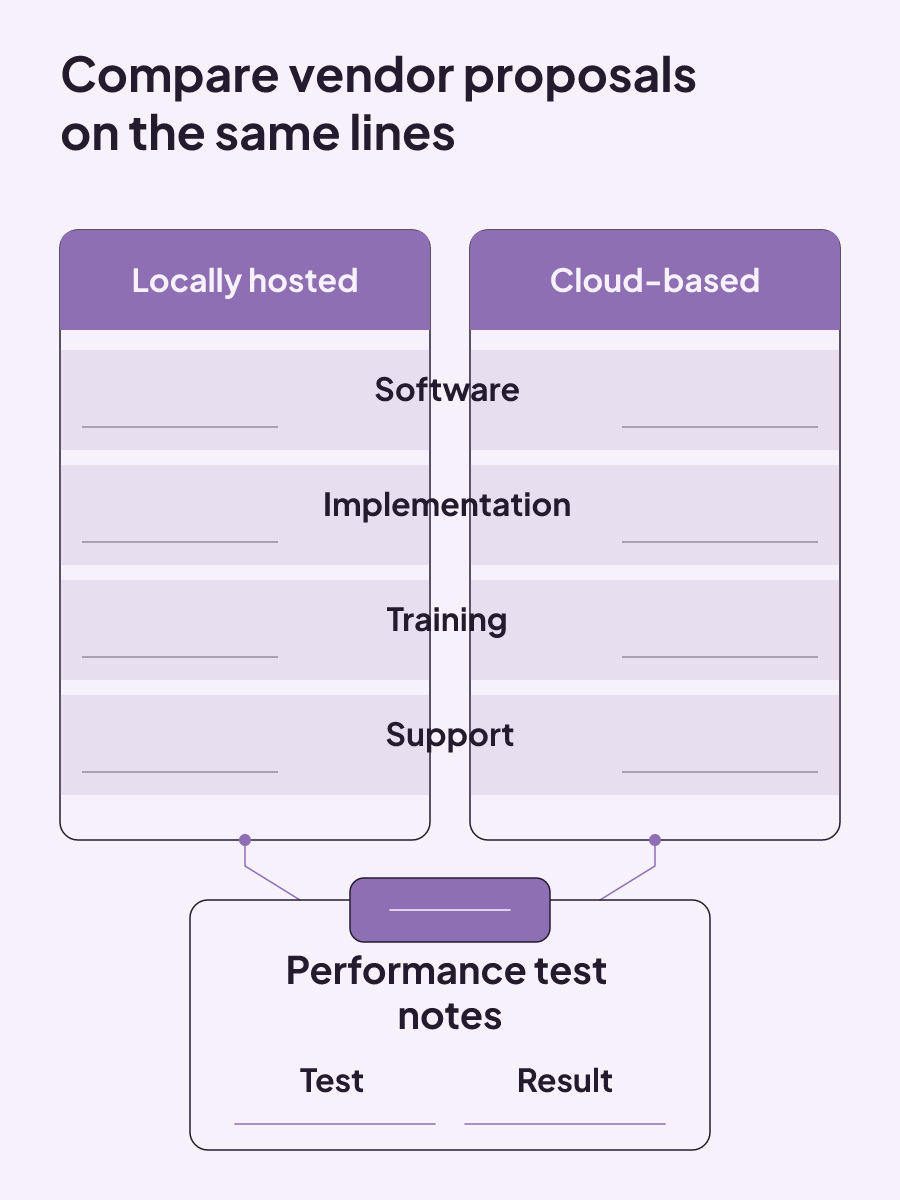
Performance belongs in the selection record as well. EHR performance tests can be tracked while vendor systems are being evaluated. A simple worksheet keeps the cost categories and test notes together without pretending that one total applies to every clinic.
| Cost category | Locally hosted estimate | Cloud-based estimate | Performance-test notes |
|---|---|---|---|
| Software | $________ | $________ | Test: __________________ Result: ________ |
| Implementation | $________ | $________ | Test: __________________ Result: ________ |
| Training | $________ | $________ | Test: __________________ Result: ________ |
| Support | $________ | $________ | Test: __________________ Result: ________ |
Add the licensing terms and hardware needs that apply to each model beside this worksheet. Keep ongoing support visible too. The goal is a like-for-like view of the categories that create the EHR commitment, with performance observations captured during evaluation.
Ask for the same cost breakdown from every vendor you keep on the shortlist. A single total can hide how much belongs to software, implementation, training, or support. Separate lines let you compare locally hosted and cloud-based estimates in the same format. They also leave room for licensing, hardware, and continuing support, which can change the full cost.
Use performance-test notes for what you observed during evaluation. Record the test, then record the result. This gives the team a shared selection record and keeps a polished demonstration from becoming the only memory of the system. The approved performance tests can be tracked while vendor systems are still being compared.
The failure-mode comparison should shape those tests. Copying, long navigation, fragmented information, scanned-document handling, and outage procedures are concrete areas your clinic can include where they fit the system being evaluated. Cost matters, but the cheaper estimate does not answer how the EHR behaves in daily documentation or during recovery.
For a market-specific starting point, compare EHR systems for Canadian med spas. Use the worksheet to record each system's software, implementation, training, support, and performance details as you review the options.
EMR in healthcare: what it means and how to evaluate the wider software decision
In healthcare, EMR means electronic medical record, with security, cost, migration, and rollout decisions extending beyond the digital chart.
Read insight
ROI tracking: calculate the return and label what the number proves
ROI tracking is credible when every cost is counted and each result is labeled as observed, attributed, or experimentally incremental.
Read insight
Med spa profit margins: how to calculate what your clinic actually keeps
Med spa profit margins depend on treatment contribution, provider capacity, fixed costs, acquisition, no-shows, and repeat booking.
Read insight