

Key takeaways
A useful local SEO report shows movement, completed work, business impact, and the next step. Keep it to a small group of comparable measures. Connect search visibility to traffic, leads, and revenue, then make the decision clear.
Your dashboard may contain dozens of numbers, but your operating question is much simpler: what changed during this reporting period, what work was completed, and what should happen now? Good local SEO reporting gives each number a job. It connects discovery, website activity, patient actions, and shipped work without claiming that one task caused every change.
Use a local SEO report template that moves from measurement to action
Start with the decision you need to make, then keep only the measures that help you make it. Effective reporting uses a small set of goal-driven KPIs with clear month-over-month comparisons. The executive summary should cover changes since the prior report, while the work record identifies major completed actions such as technical fixes or newly published content.
Use this matrix as a fillable working template. Choose one reporting period and apply it consistently. Business Profile performance supports a selected date range, so the comparison does not have to rely on a loose snapshot.
| Report field | Current measure | Comparison or context | Decision use |
|---|---|---|---|
| Reporting period | Start and end dates | Prior matching period | Set the window for every comparison |
| Business Profile performance | Views, clicks, customer interactions | Prior-period profile activity | Review discovery and action on Search and Maps |
| Organic search visibility | Impressions, clicks, queries, click-through rate, position | Prior-period search performance | Identify where search visibility moved |
| On-site behavior | Traffic sources, pages visited, configured actions | Prior-period website activity | See what happened after the visit began |
| Conversion signals | Calls, forms, booking clicks, chats, direction requests | Prior-period patient actions | Connect activity to leads and business impact |
| Completed work | Technical fixes, published content, or other finished actions | Work completed during the period | Keep delivery visible beside observed movement |
| Decision or next step | The action now being considered | Performance, business impact, and completed work | Record what happens next |
This structure keeps rankings and sessions from becoming the end of the conversation. SEO reporting should connect performance to traffic, leads, and revenue, while consistent reporting should show what changed and what happens next. The table does not prove that completed work caused a particular movement. It gives both facts a clear place so you can judge them together.
The one-page view is for decisions, not every chart
A one-page executive summary lets owners and senior stakeholders review performance and completed work without reading the full report. Keep detailed charts in the sections that own them. The overview should hold the reporting period, the small KPI set, major work completed, business impact, and the decision that now needs attention.
Which tools belong in a local SEO report?
No single local SEO tool in this reporting stack answers every question. Business Profile performance covers discovery and interactions on Search and Maps. Search Console covers organic search visibility. Analytics covers what visitors do on the website. Looker Studio can bring Search Console and Analytics into one organic-search dashboard.
Business Profile shows discovery and profile actions
Business Profile performance data shows how people discover the profile through Search and Maps and what they do afterward. Owners and managers can report views, clicks, and other customer interactions. Those measures answer a narrow but useful question: what happened on the profile before someone reached the website, or instead of visiting it?
Keep the date range aligned with the report. When the profile numbers cover one window and the website numbers cover another, the comparison no longer answers one reporting-period question. A selected date range gives the profile section a defined boundary.
Search Console shows organic search visibility
Search Console reports impressions, clicks, and queries. It also provides click-through rate and position. These measures tell you whether your pages appeared in organic search, which searches produced that visibility, and whether those appearances produced clicks.
For a recent diagnostic view, Search Console can provide data with only a few hours of delay. Its hourly detail covers clicks, impressions, click-through rate, and position. That recent view can sit inside a wider report, but it should keep its own time window visible.
Analytics shows on-site activity
Analytics reports traffic sources, pages visited, and actions taken on the site. It begins where the Search Console click leaves off. A report can therefore show Search visibility and website activity as related parts of the same journey without pretending they are the same measure.
Extra actions are not measured simply because they would be useful. Optional Analytics events require configuration before they can measure more behaviors and support more useful reports. The data layer passes events and variables to tags, and triggers can respond to variable values.
That setup boundary matters when you read a zero. A report can only include a configured action when the measurement has been put in place. Search Console and Analytics can then be combined in Looker Studio, giving you one view of organic search and on-site activity while the source measures keep their distinct meanings.
Clinic reporting needs visibility and patient-action signals
For a med spa, visibility is useful when the report also shows recognizable patient actions. Our med spa SEO service includes monthly SEO reporting with map-pack appearance tracking, treatment-ranking tracking, and profile-action tracking. These measures show how the clinic appeared across local Search and what happened on its profile.
The conversion layer covers a different part of the path. Conversion rate is the share of visitors who complete a desired action. Local SEO reporting can track calls, form submissions, booking clicks, quote requests, chat starts, and direction requests. For a clinic operator, that turns an abstract traffic chart into a view of the actions that sit closer to an inquiry or visit.
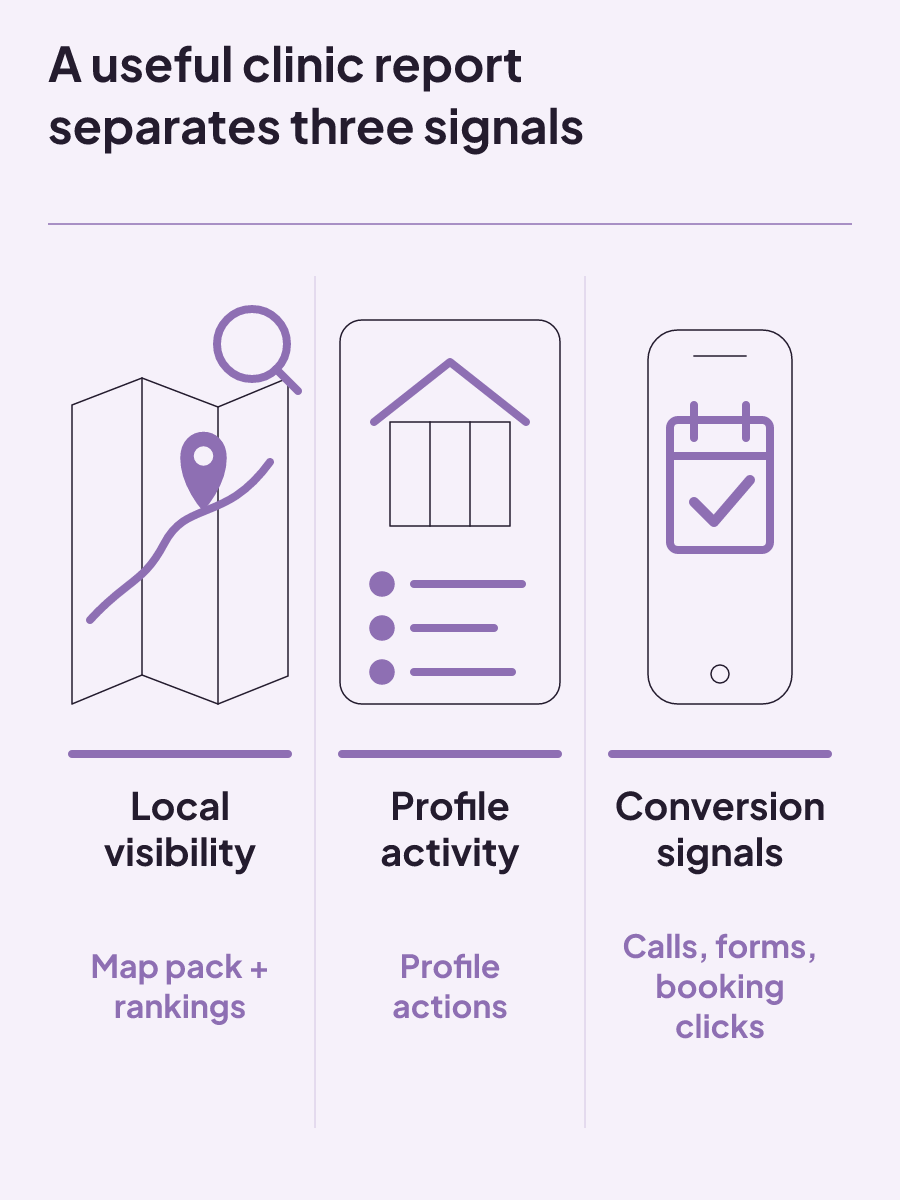
The clinic report can separate three useful measures:
- Local visibility: map-pack appearances and treatment rankings.
- Profile activity: actions taken from the clinic profile.
- Conversion signals: calls, forms, booking clicks, chat starts, and direction requests.
The report should not treat every action as revenue. Patient acquisition includes a business layer beyond raw visibility, and SEO reporting should connect performance to leads and revenue instead of stopping at rankings or sessions. The purpose of the conversion section is to show the actions actually measured, then carry those signals into the business discussion.
That separation also keeps your language honest. A ranking movement is a ranking movement. A booking click is a booking click. When both change during one period, the report can present both changes without claiming that the ranking change caused the booking action.
Multi-location reports need a geographic view
One combined clinic total can hide the question a multi-location operator needs answered: where did performance change? Conversion rate can be reviewed by location, as well as by page, device, and channel. That makes the clinic or city part of the analysis instead of an afterthought.
Multi-location tracking platforms can automate reports, monitor map-pack performance, and compare results across ZIP codes or cities. The report can then place local visibility beside location-level conversion review. One location may have a different map-pack pattern or conversion rate from another, and the geographic view preserves that distinction.
Choose the geographic level that matches the operating decision. Clinic-level conversion reviews support location comparisons. ZIP-code or city comparisons provide a more detailed view of map-pack performance. Keep the same geographic breakdown in the current and comparison periods so the movement remains readable.
Automation can reduce the work of assembling repeated views, but the report still needs a small KPI set and a decision. More city grids do not replace the question of what the operator should do with them.
Can you do local SEO yourself?
Yes, you can manage parts of local SEO yourself. A verified Business Profile can be updated with an accurate address, hours, contact information, and photos. A business can also use its Business Profile to improve its local ranking.
Profile upkeep is only one part of the workload. Local SEO includes tasks intended to establish a business's relevance and authority within a target area. A complete local SEO audit can cover five areas: Business Profile optimization, on-page SEO, technical SEO, citation consistency, and review responses.
That broader scope gives you a practical way to judge whether self-management fits your clinic. You are not only deciding who changes hours or adds photos. You are deciding who will maintain the profile, review pages on the website, handle technical SEO, keep business information consistent across citations, and respond to reviews.
Your report should make that workload visible. Record the completed work during the reporting period instead of showing performance charts alone. If you updated profile information, completed a technical fix, or published content, put the finished action in the work section. Keep the observed movement separate so the report does not overstate cause and effect.
A self-managed process still needs a regular comparison. Use the same small KPI set from one period to the next, then connect it to traffic, leads, and revenue where those measures exist. That gives you a basis for deciding whether the current workload is being completed and whether outside support deserves consideration.
The real limit is capacity, not whether a clinic owner is allowed to touch the work. If the profile stays current but technical, on-page, citation, or review tasks remain unfinished, the report should show that gap plainly in completed work.
Can ChatGPT do an SEO audit?
ChatGPT can help interpret audit data, but it does not provide native crawling or measurement. Dedicated tools collect the measurements. ChatGPT can interpret the supplied data, and a person makes the final decision.
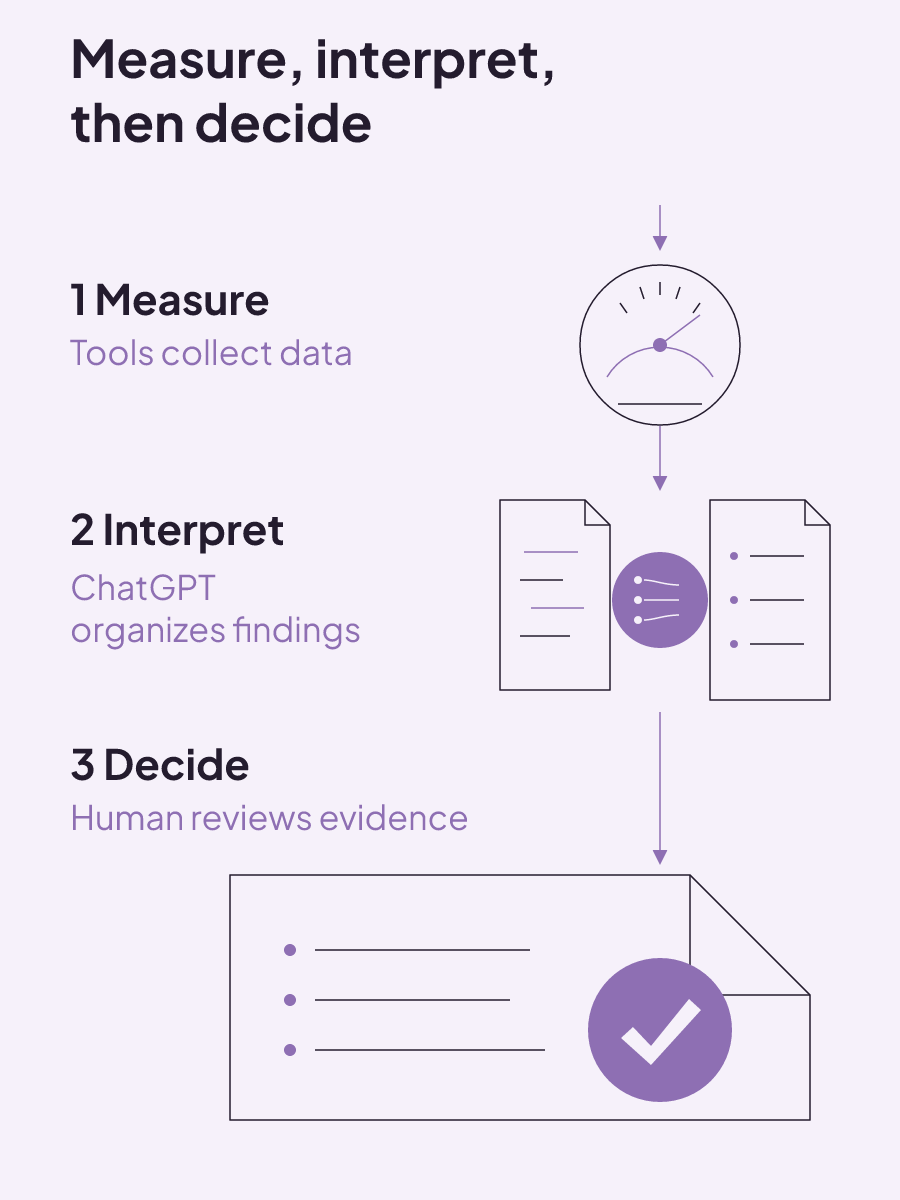
That three-role workflow is the safest practical boundary:
- Measurement tools collect profile, Search, website, technical, and conversion data.
- ChatGPT interprets the measured inputs and helps organize findings.
- A person reviews the evidence and decides what work should happen.
Without strict grounding and evidence requirements, ChatGPT can propose SEO issues that are not present. The audit input therefore needs to include the actual measured data, not a request to guess what might be wrong. An interpretation is only as useful as the information placed in front of the model.
This boundary also helps with reporting. ChatGPT should not become the source of a click, impression, ranking, profile action, or conversion figure. Those numbers come from the tools that measure them. AI can help turn a large export into a clearer explanation, but the explanation does not replace the underlying measurement.
Human judgment remains the final step because the output has to become an operating decision. The person reviewing the audit can compare the measured issue, the work already completed, the observed movement, and the business effect. ChatGPT can assist with the interpretation, but it does not make that final call.
An AI-assisted audit should keep those three roles distinct. Name the measurement source, preserve the measured value, and keep the final decision with the person responsible for the work. That prevents polished AI language from being mistaken for new evidence.
Can you get a free audit, and what does paid local SEO cost?
You can get a free audit, but its existence does not tell you what an ongoing service will cost. We offer a free med spa SEO audit. Start with whether you need an initial audit or recurring work and reporting.
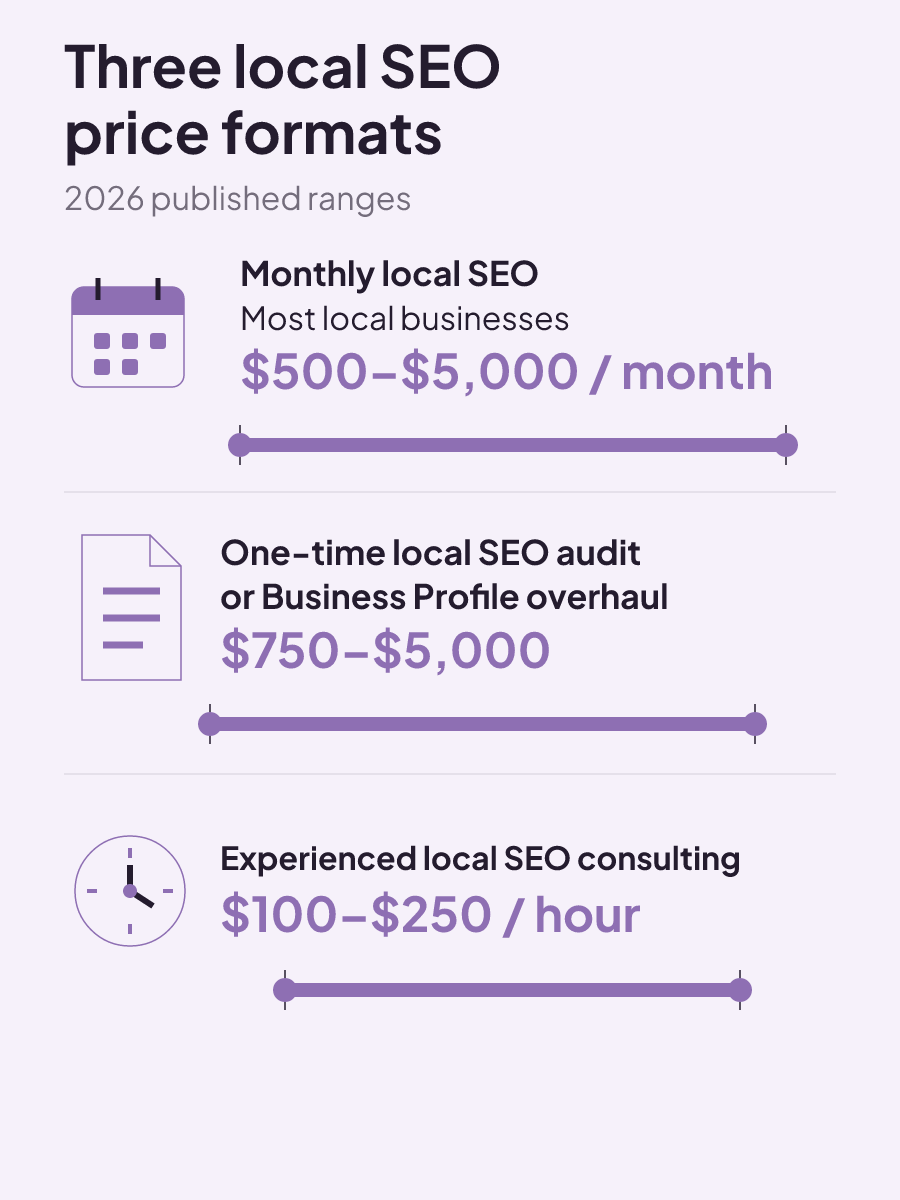
Published 2026 market figures describe three common price formats:
- Monthly local SEO: $500 to $5,000 for most local businesses.
- One-time local SEO audits or Business Profile overhauls: $750 to $5,000.
- Experienced local SEO consulting: $100 to $250 per hour.
Monthly spending varies with the number of locations, competition, and service scope. One-time audit or profile-overhaul pricing varies with depth.
When you compare paid options, compare the work and reporting behind the number. A recurring engagement should make completed work visible and connect a small KPI set to business impact and the next decision. An audit is a one-time format, while consulting is priced by time. Those formats answer different operating needs.
Use the matrix above to review your next reporting period. If you want help building a monthly process, review our med spa SEO services and request the free audit. We can start from the visibility, profile-action, and reporting questions your clinic needs to answer.
ROI tracking: calculate the return and label what the number proves
ROI tracking is credible when every cost is counted and each result is labeled as observed, attributed, or experimentally incremental.
Read insight
Healthcare social media marketing: choose channels, controls, and handoffs
Healthcare social channels fit different patient needs; use a question-risk-handoff matrix to set review, response, and contact ownership.
Read insight
Sample content marketing plan for med spas: a completed decision system
A sample content marketing plan works as a decision system, linking each asset to an audience need, owner, channel, approval path, KPI, and review.
Read insight