
Key takeaways
- Digital marketing call tracking connects each call to its marketing source.
- Useful reporting continues through answered calls, first response, real contact, and booking.
- Choose software for the operating job, then assess its base plan and usage charges together.
How does digital marketing call tracking work?
Digital marketing call tracking uses trackable phone numbers to connect calls with marketing activity. One common method is Dynamic Number Insertion. It automatically replaces the phone number on a website with a unique tracking number for each visitor or channel.
Imagine that someone reaches your clinic website through a campaign. The number displayed on the page can change for that visitor or channel. If the person calls, the assigned number can connect the inbound call to a traffic source, keyword, campaign, or session. That gives the call a marketing source instead of leaving it as an isolated phone event.
Unique numbers can also be assigned to different marketing channels. This lets a business trace which campaigns generate the most calls. If you need a clearer foundation for how those sources receive credit, our marketing attribution guide explains the core concept.
Is call tracking possible without replacing the clinic's whole phone setup? It can be. Call-tracking tools can assign trackable numbers or sit on top of an existing system to capture inbound and outbound calls. Other call-tracking software can integrate with an existing phone system so calls can be monitored and analyzed.
This is the basic mechanism: number assignment makes the source visible. But a source alone doesn't tell you whether the clinic answered, responded, reached the caller, or secured a booked appointment or qualified next step. Those stages need their own measures.
The Source-to-Booking Chain shows where measurement stops
The Source-to-Booking Chain puts five call tracking metrics into one diagnostic view. Each checkpoint answers a different operating question, from the campaign that generated the call to the next step recorded after contact.
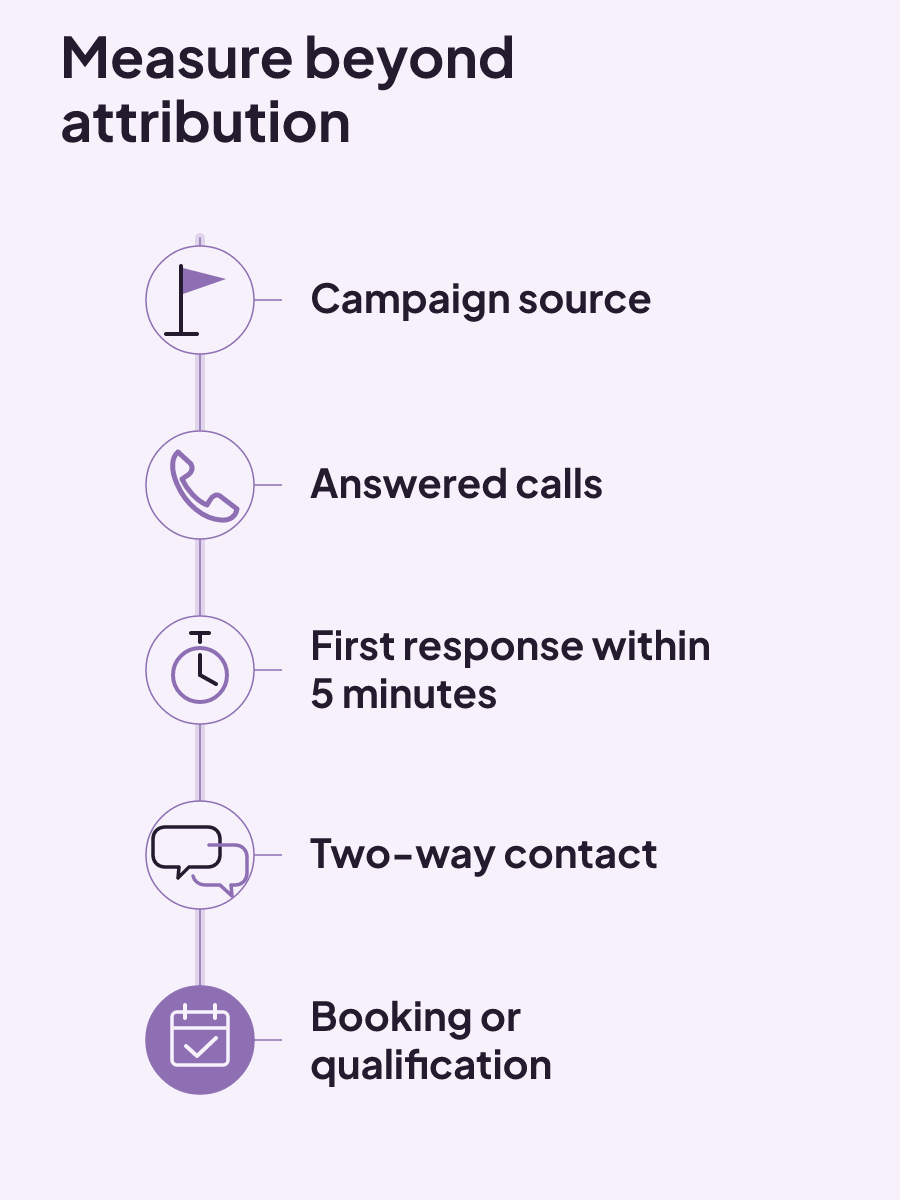
| Checkpoint | Measure | Calculation | Operating question |
|---|---|---|---|
| Campaign source | Calls by campaign | Group calls by their assigned marketing campaign | Which campaigns generate the most calls? |
| Answered calls | Incoming calls compared with answered calls | Compare 30 days of total incoming calls with total answered calls | How many incoming calls were answered? |
| First response | Five Minute Response Rate | Percentage of leads receiving a first response within 5 minutes | How often does a lead receive a first response within 5 minutes? |
| Two-way contact | Contact Rate | Percentage of leads becoming a real two-way conversation | How many leads become real conversations? |
| Booking or qualification | Call To Booking or Lead To Booking Rate | Percentage of leads becoming booked appointments or qualified next steps | How many leads reach a booked or qualified next step? |
Med-spa reporting follows the wider revenue funnel
A med-spa revenue funnel can be viewed from the first inquiry through repeat booking. Call measurement has a defined place within that wider span: it can capture a phone inquiry and connect it to a marketing source. The clinic's reporting can then include business measures that extend beyond call volume.
Relevant med-spa dashboard measures include new leads, conversion rate, show rate, average ticket, revenue per provider, and membership growth. Together, the funnel span and those six measures give an operator distinct views of demand, conversion, attendance, transaction value, provider revenue, and memberships. They do not need to be collapsed into one number.
This distinction helps when a campaign report looks healthy because it produced calls. The call total is still useful. The wider clinic dashboard can separately show conversion rate, show rate, average ticket, revenue per provider, and membership growth. Repeat booking sits at the far end of the med-spa revenue funnel, not inside the initial call count.
When you review reporting, look at the labels as closely as the totals. A "new lead" count, a "show rate," and "revenue per provider" name different clinic measures. Keeping their names visible makes the report easier to question without inventing a single blended score.
Our guide to healthcare marketing and patient acquisition provides related context for the broader acquisition path. For call reporting, the immediate decision is narrower: decide which phone action your campaign measurement will treat as valuable.
What counts as a valuable call?
A business can define a purchase, sign-up, or phone call as a valuable conversion. For a clinic reviewing phone activity, that definition determines which action appears in conversion reporting. It should be a deliberate reporting choice, not a label inherited without thought.
Conversion measurement can show which keywords, ads, and campaigns are most effective at driving valuable actions. That makes the chosen conversion definition important. If the valuable action is a phone call, the report can show which marketing inputs drove that action. A purchase or sign-up can also be defined as valuable when that is the action the business wants to measure.
Start with a plain question: what exact action does this report count? The answer should use the action's real name, such as phone call, purchase, or sign-up. A vague "conversion" total asks you to trust the label before you know what sits inside it.
Then compare the result at the level the measurement supports. Keywords, ads, and campaigns can each appear in conversion measurement. That gives you a way to examine which of those marketing inputs drove the valuable action you defined.
Some outcomes happen after the original ad-generated call. Those later actions can return to ad reporting through an offline call-conversion import, provided the required tracking and records are in place.
How do later call outcomes return to ad reporting?
Offline call conversions can be imported to track valuable customer actions that began with calls generated by ads. Importing offline conversions can measure the full value of leads, extending the record beyond the original phone event.
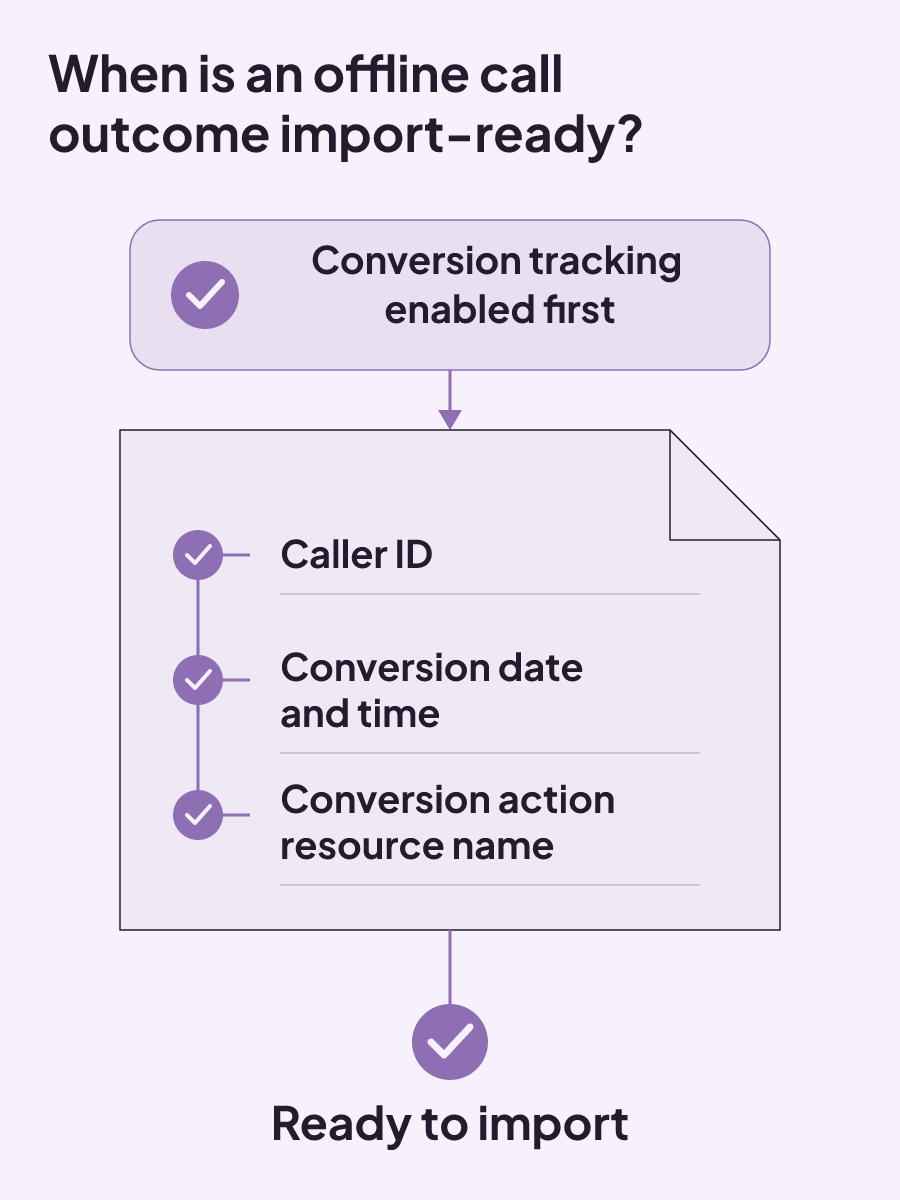
There is a firm prerequisite: conversion tracking must be enabled before call conversions can be imported. If that foundation is missing, the import does not have the required conversion-tracking setup behind it.
The import also needs specific fields:
- caller ID;
- conversion date and time; and
- conversion action resource name.
Conversion value and currency are optional. That means the core import record can identify who called, when the conversion happened, and which conversion action receives the event. Value and currency can be included when they belong in the record, but they are not required fields.
For an operator, this creates a simple readiness check. Confirm that conversion tracking is already enabled. Then look at the records intended for import. Each record needs caller ID, the conversion date and time, and the conversion action resource name. A record may also carry conversion value and currency, but those two fields are optional.
The distinction between required and optional fields matters when you compare systems. A long call record is not automatically an import-ready record. For this import, the deciding details are the three required fields. A shorter record that includes all three can still add value and currency when the business chooses to capture them.
Call origin changes the applicable instructions. Phone-call conversion import instructions can differ between calls from ads and calls made to a phone number on a website.
This is where clinic and marketing records need a shared definition of the valuable action. The ad report begins with a call generated by an ad. The offline conversion import can then record a valuable customer action that originated from that call. The import fields give that action a caller, a time, and a named conversion action.
Before assessing software, write down the reporting job in concrete terms. Do you need source attribution only, or do you also need records that support a later offline conversion import? The import requirements provide a practical test: the setup needs conversion tracking enabled beforehand and must retain the required caller, time, and conversion-action fields.
What should call tracking software actually do?
The best call tracking software is the one that fits the operating job and user context. There is no useful universal ranking when one clinic needs basic source attribution and another needs call records, response reporting, and later outcome data. Best fit depends on the job, so compare measurable capabilities against the work you have defined.
Use this compact checklist when you review an option:
- Phone-system fit: Can the software integrate with your existing phone system to monitor and analyze calls?
- Conversation records: Can it record and transcribe conversations, log who called and why, and tie the call to a source, customer, or agent?
- Reporting: Can call data flow into reports and dashboards that measure volume, response times, and quality?
- After-hours response: For inquiries submitted after business hours, during evenings, or on weekends, does the response plan provide an immediate acknowledgment and a clear promise of human follow-up?
Recording and transcription can sit beside source, customer, and agent links. That combination is useful when the operating job requires a conversation record as well as attribution. If the job is narrower, don't let a longer feature list make the decision for you.
How do you choose the best fit?
Start with the phone system you already use. If keeping that system is part of the job, look for software that can integrate with it to monitor and analyze calls. This question narrows the field before extra features enter the comparison.
Next, decide whether you need a conversation record. Call-tracking tools can record and transcribe conversations, log who called and why, and connect a call to a source, customer, or agent. Those are distinct capabilities to compare.
Reporting deserves the same precision. "Analytics" is too broad for a useful comparison. Call data can flow into reports and dashboards that measure volume, response times, and quality. Check whether the dashboard actually provides the measures you intend to review.
For an inquiry submitted after business hours, in the evening, or on a weekend, the response plan should provide an immediate acknowledgment and clearly promise human follow-up.
Two clinics can use this list and choose different products because the best fit depends on the job and user context. A clinic focused on integration may give more weight to existing-phone-system support. A clinic focused on reviewing conversations may put recording, transcription, and call linkage nearer the top of its list.
The software decision is ready when you can name the job and match it to specific capabilities. Price it only after that match, because the base subscription may be just one part of the bill.
How much does call tracking cost?
Call tracking costs vary with features, team size, and add-ons. Pricing models include subscription, pay-per-use, feature-based tiers, and hybrid pricing. Those models can produce very different bills even when two plans display similar starting prices.
Many platforms combine a base plan fee with usage charges. Usage may be based on tracking numbers, minutes, or answered calls. Dedicated call-tracking tools start around $50 to $65 per month, plus per-minute and per-number fees.
Read a quote in two parts:
- Identify the base plan and the features included at that level.
- Identify every usage unit, including tracking numbers, minutes, or answered calls.
This keeps a monthly starting price from hiding the usage model. It also lets you compare a subscription with pay-per-use, a feature-based tier, or a hybrid plan using the same operating job.
For a working budget, list the fee categories on separate lines. Start with the base plan. Add the charges that apply for tracking numbers, minutes, or answered calls. Then include costs tied to the feature set, team size, and add-ons you need. The relevant categories will depend on whether the product uses a subscription, pay-per-use, feature-based tiers, or a hybrid model.
When does free call tracking make sense?
A free call-tracking plan may provide basic call tracking, call recording, and limited analytics. That can cover a narrower measurement job. The limit to examine is analytics: a free option may capture the call while giving you less reporting detail.
Free call tracking is easiest to assess when you name the minimum job first. If basic tracking and recording are the whole requirement, compare the free plan with those two capabilities. If the job includes deeper analytics, the plan's analytics limit becomes part of the decision. The label "free" describes the price, while the feature list describes the work the plan can do.
Free and paid plans should still be evaluated against the same requirements. If your job is basic tracking, compare that requirement with the free plan's included capability. If you need existing-phone-system integration, response-time reporting, conversation linkage, or data for later call outcomes, check those capabilities directly instead of assuming the word "free" answers the fit question.
Software cost changes with features, team size, and add-ons. A useful budget therefore includes the plan, the expected usage units, and any needed add-ons. It should also reflect the capabilities you selected before looking at price.
When you are ready to connect call measurement with the work after a missed call, see how our patient booking systems for med spas include missed-call integration, reply-time tracking, consultation reporting, and follow-up recovery reporting. You can start with our free booking-flow audit.

ROI tracking: calculate the return and label what the number proves
ROI tracking is credible when every cost is counted and each result is labeled as observed, attributed, or experimentally incremental.
Read insight
Healthcare social media marketing: choose channels, controls, and handoffs
Healthcare social channels fit different patient needs; use a question-risk-handoff matrix to set review, response, and contact ownership.
Read insight
Sample content marketing plan for med spas: a completed decision system
A sample content marketing plan works as a decision system, linking each asset to an audience need, owner, channel, approval path, KPI, and review.
Read insight